The annoying part of tracking food is often the tracking. You finish lunch, open another app, search for every ingredient, choose between near-identical entries, and promise yourself you will catch up later. Nexus takes a different route: tell the assistant you already use what you ate, and keep the result in a structured journal.
Connect Nexus once in ChatGPT or Claude. After that, use the chat you already open on your phone. There is no separate Nexus fitness app to download.
Start with the meal, not a search box
You can write the way you would tell a person. Include the portion sizes you know; you do not have to translate lunch into a database query first.
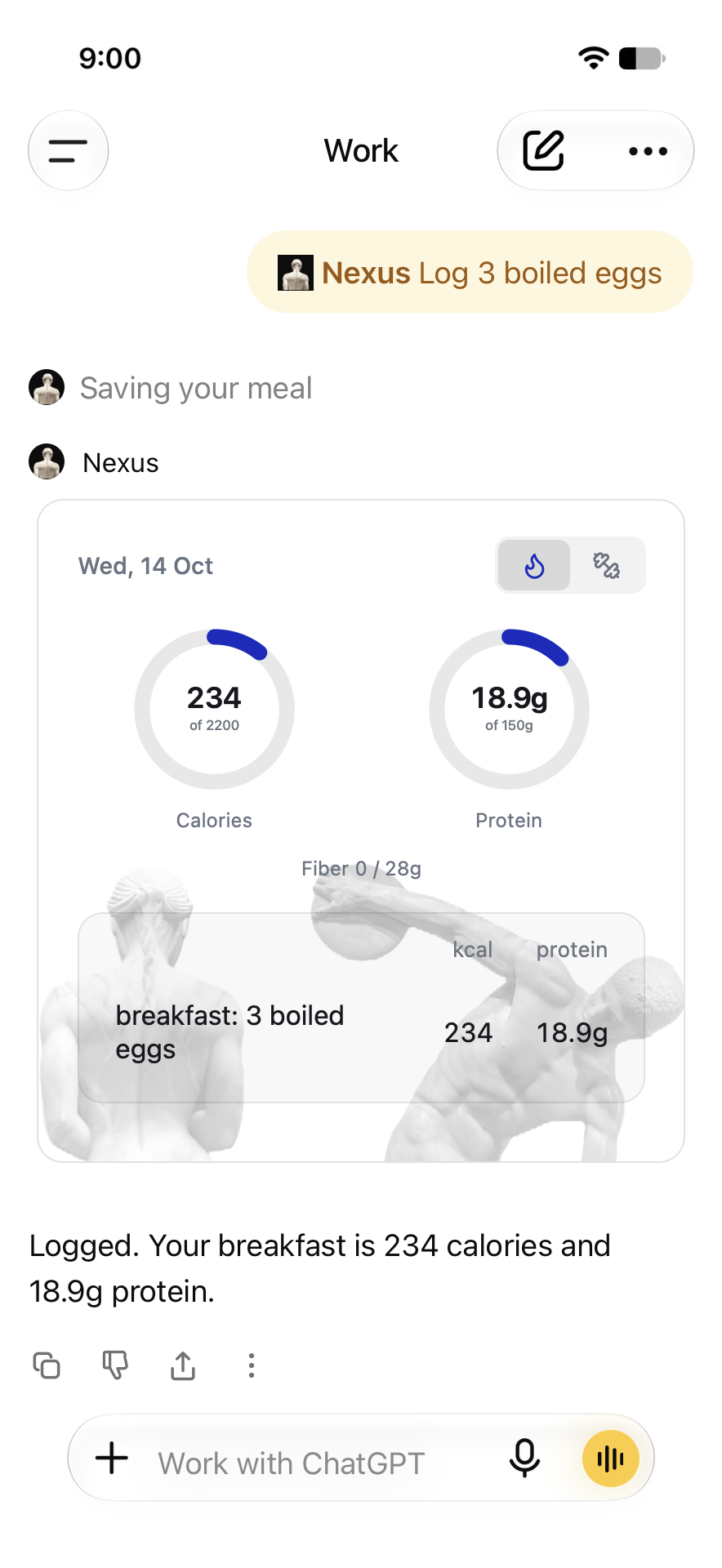
Nexus, log 3 boiled eggs for breakfast. Estimate the calories and macros.
ChatGPT estimates the food and calls Nexus to save the entry. Nexus brings the day back into the conversation as an interactive card: your meals, calorie and protein totals, and the targets you have set. The record lives in Nexus, so ask it to retrieve your journal when you return in another conversation.
A picture is a starting point
Attach a meal photo in ChatGPT and tell it what you want saved. Add what the picture cannot establish: the size of the cup, what milk you used, whether there was sugar, or how much of the plate you ate.
Nexus, log this breakfast. I ate two of these four eggs. Estimate the calories and macros.
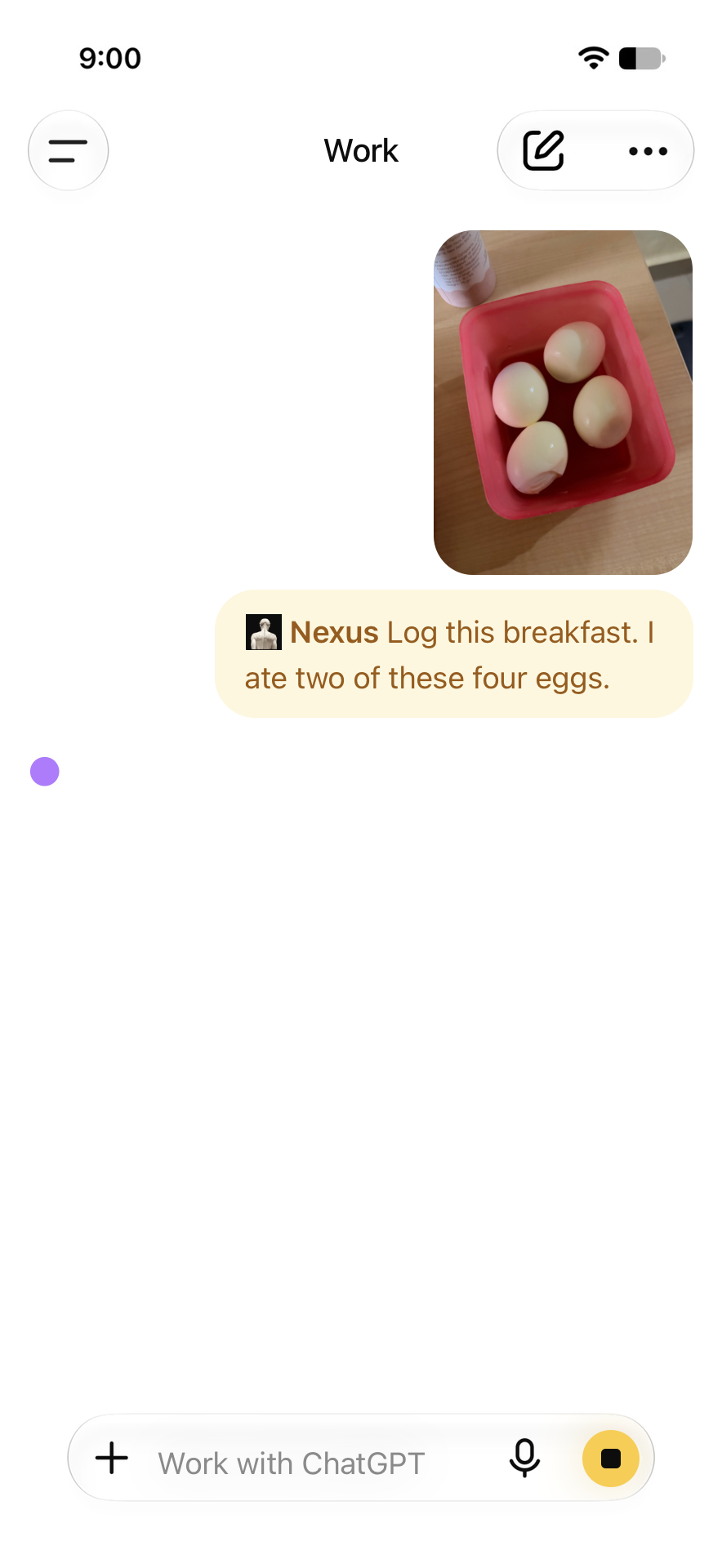
ChatGPT reads the plate and works out the portions; Nexus saves the result. For packaged food, photograph the nutrition label and you get the exact numbers off the box. A word about cooking oil or how much you ate makes any estimate sharper.
Say it instead of typing it
Tap the microphone in the ChatGPT message composer, describe your meal, review the transcription, and send it. That is dictation: your spoken words become the message that asks Nexus to log the meal. You still get to see what was heard before sending.
Prefer a conversation out loud? ChatGPT Live supports connected apps. In the recorded 7 October example, Nexus was used during a ChatGPT voice conversation to log breakfast and prepare a workout. Use the app connection and on-screen approvals available in your account. See the current connected-app documentation.
Correct the meal without starting again
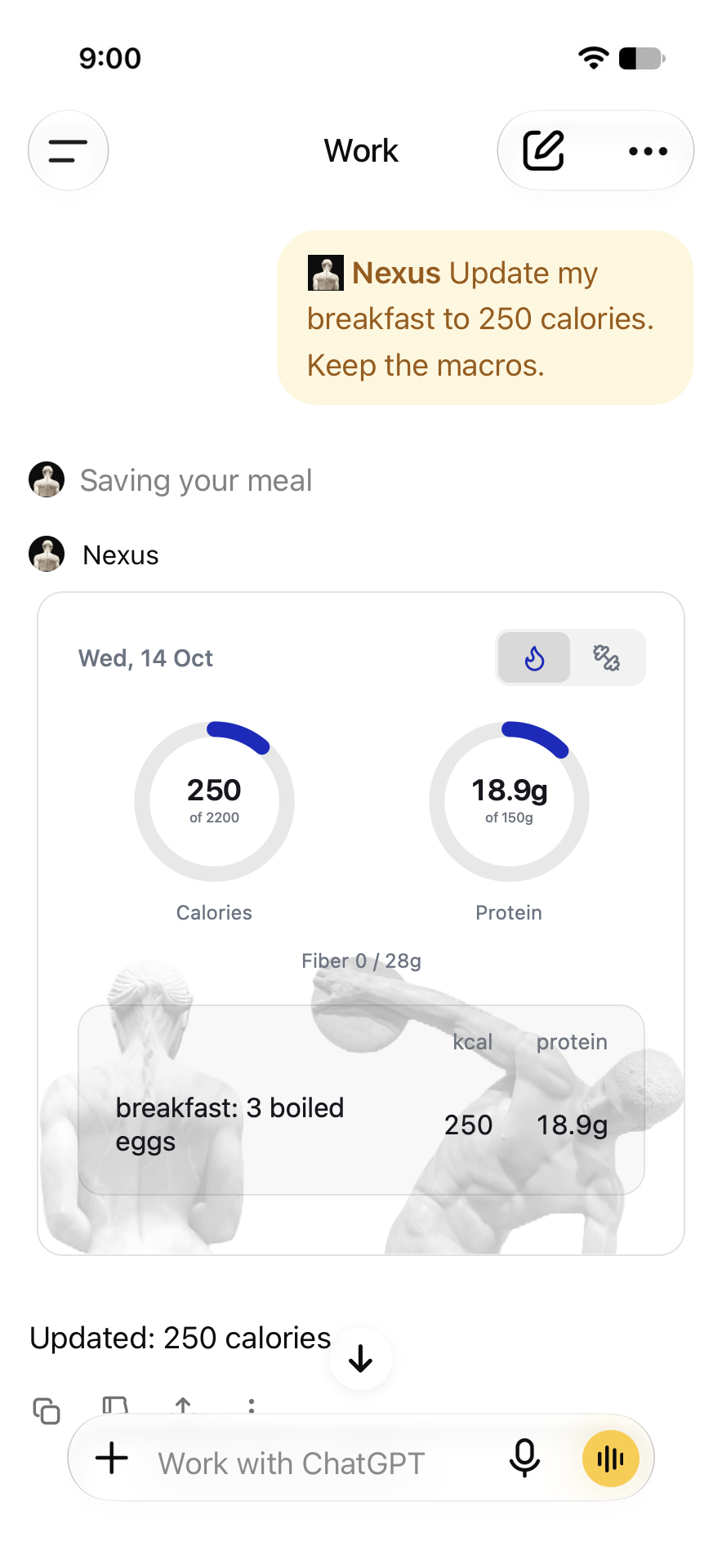
Update my breakfast to 250 calories. Keep the macros.
Ask for a correction to the existing meal rather than another log. You can also edit the entry in the Nexus card. In the illustrated example, the breakfast moves from 234 to 250 calories while its protein stays at 18.9 g. It is a correction to the same entry, not a second breakfast.
Come back to the day
Nexus, show everything I have eaten today, with calories and protein against my goals.
This is the point of keeping a journal instead of leaving estimates scattered across messages. You can retrieve what you saved, discuss it, and correct it. Asking about a meal is different from asking to save it: say “log” when you want an entry in the journal.
The same idea in Claude
Nexus also connects to Claude. Describe or attach the meal there, ask Claude to estimate it and save it in Nexus, and inspect the returned interface. The host looks different; the job is still a saved food journal in your conversation.
Why this is simpler
For someone who already uses ChatGPT or Claude, logging can be one more message in a familiar place. You can describe lunch, ask a follow-up, and correct the result without learning another food-entry interface. That removes a particular source of friction. The small loop is the point: describe, save, see, correct. You stay in the conversation instead of maintaining a second food-entry routine.
Start with your next meal. Connect Nexus, ask it to log what you ate, and check the saved card.